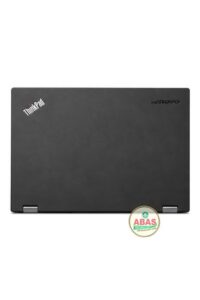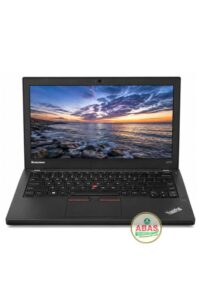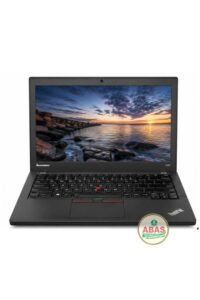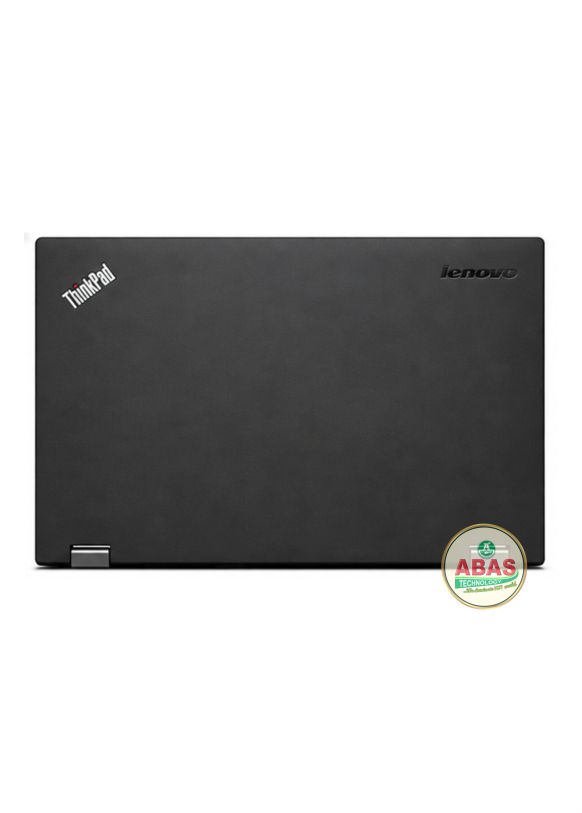
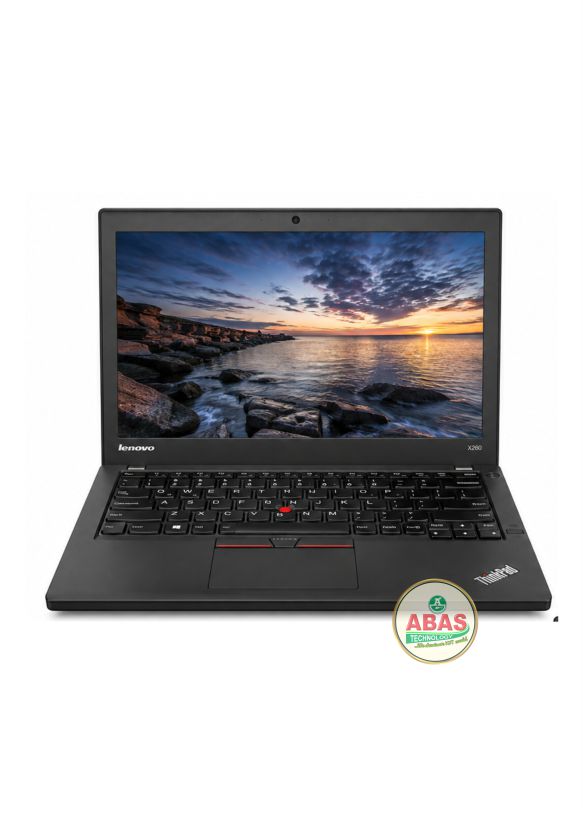
LENOVO THINKPAD X260 i5 SPECIFICATIONS
LENOVO THINKPAD X260 i5 PRICE AND SPECIFICATIONS
Model: Lenevo Thinkpad X260
Operating System: Windows 10 Pro, Windows 10 Home
Storage: 256GB SSD
RAM: 8GB RAM
Display: 12.5-inch HD 1366 × 768 or Full HD 1920 × 1080 display
Other Features: Wi-Fi, Bluetooth 4.1, Gigabit Ethernet, HDMI, Mini DisplayPort, 2 × USB 3.0, 1 × USB 2.0, 4-in-1 card reader, HD webcam, stereo speakers, spill-resistant keyboard, TrackPoint, fingerprint reader on selected configurations, TPM and dual-battery system.
LENOVO THINKPAD X260 PRICE AND SPECIFICATIONS
The Lenovo ThinkPad X260 is a compact 12.5-inch business laptop designed for professionals, students, office users and frequent travelers. It belongs to Lenovo’s ThinkPad X-series and combines a small portable chassis with a traditional ThinkPad keyboard, TrackPoint and business-oriented features.
It is suitable for Microsoft Office, web browsing, programming, accounting software, online classes, business applications, CorelDRAW, basic Photoshop, Canva and general multitasking.
Because it uses 6th Generation Intel processors and integrated Intel graphics, it is better suited to productivity and light creative work than demanding modern applications.
General Information
- Model: Lenovo ThinkPad X260
- Series: Lenovo ThinkPad X Series
- Laptop Type: Business / Ultraportable Laptop
- Screen Size: 12.5 inches
- Aspect Ratio: 16:9
- Display: HD / Full HD depending on configuration
- Touchscreen: Not generally available on the X260
- Operating Systems:
- Windows 7
- Windows 10
- Linux on supported configurations
- Build: Business-class ThinkPad construction
Processor (CPU)
Available processors include:
- Intel Core i3-6100U
- Intel Core i5-6200U
- Intel Core i5-6300U
- Intel Core i7-6500U
Processor Features
- 6th Generation Intel Core
- 2 cores
- 4 threads
- Intel Hyper-Threading
- Intel Turbo Boost on i5/i7 models
- Integrated Intel graphics
- 15W mobile processor platform
Maximum Turbo Speeds
- Core i3-6100U: Up to 2.3 GHz
- Core i5-6200U: Up to 2.8 GHz
- Core i5-6300U: Up to 3.0 GHz
- Core i7-6500U: Up to 3.1 GHz
The Core i5-6200U and i5-6300U are generally the best balance of price and performance.
Graphics
Integrated Graphics
- Intel HD Graphics 520
- Integrated into the processor
- Shared system memory
- No dedicated NVIDIA or AMD GPU
Suitable Graphics Tasks
The ThinkPad X260 can handle:
- Microsoft Word
- Microsoft Excel
- Microsoft PowerPoint
- Web browsing
- Canva
- CorelDRAW
- Basic Photoshop
- Light photo editing
- Basic graphic design
- Full HD video playback
- Programming
- Online classes
- Zoom
- Microsoft Teams
- External displays
Graphics Limitations
It is not recommended for:
- High-end gaming
- Heavy 3D rendering
- Advanced 3D animation
- Professional CAD rendering
- Heavy 4K video editing
- GPU-intensive engineering software
Memory (RAM)
- Type: DDR4 SDRAM
- Speed: 2133 MHz
- RAM slots: 1 × SODIMM
- Available configurations: 4GB / 8GB
- Official maximum: 16GB
The X260 has one accessible SODIMM slot and can support up to 16GB DDR4 with a compatible module.
Recommended RAM
For basic office work:
4GB–8GB
For multitasking:
8GB
For the best configuration:
16GB
For a used X260, 16GB RAM + SSD is the recommended setup.
Storage
Depending on configuration, the ThinkPad X260 supports:
- 500GB HDD
- 1TB HDD
- 128GB SSD
- 256GB SSD
- 512GB SSD
- Compatible 2.5-inch SATA storage
Storage Features
- 2.5-inch SATA storage bay
- SATA SSD support
- Traditional HDD support
- Replaceable storage
Recommended Storage
For basic use:
128GB SSD
For normal productivity:
256GB SSD
For professional/business use:
512GB SSD
An SSD is strongly recommended because it makes the X260 considerably faster than a mechanical HDD.
Display
The ThinkPad X260 was available with:
HD Display
- 12.5 inches
- 1366 × 768
- LED backlight
- Anti-glare
Full HD Display
- 12.5 inches
- 1920 × 1080
- LED backlight
- Anti-glare
- Better workspace and image quality
For graphic design, Photoshop and general productivity, the Full HD 1920 × 1080 configuration is preferable.
Build Quality
- Classic ThinkPad business design
- Durable construction
- Compact chassis
- Spill-resistant keyboard
- Professional appearance
- Designed for business users
- Excellent portability
The ThinkPad X260 is particularly attractive for users who prioritize keyboard quality, durability and portability.
Keyboard & Touchpad
- ThinkPad keyboard
- Spill-resistant keyboard
- TrackPoint pointing device
- Dedicated TrackPoint buttons
- Multi-touch touchpad
- Comfortable typing layout
The keyboard is suitable for:
- Programming
- Office work
- Typing
- Data entry
- Accounting
- Business applications
- School work
- Long typing sessions
The physical TrackPoint is one of the distinctive features of the ThinkPad series.
Battery
One of the major advantages of the ThinkPad X260 is its battery system.
It can use:
- Internal battery
- External removable battery
- Dual-battery configuration
- Lithium-ion batteries
The removable external battery makes it possible to replace the battery without replacing the entire laptop.
Actual battery life depends heavily on battery condition, capacity, screen brightness, Wi-Fi usage and workload.
For a used X260, checking the condition of both batteries is recommended.
Connectivity
Wireless
- Wi-Fi 802.11ac
- Bluetooth 4.1
- Optional WWAN/mobile broadband on selected configurations
Wired
- Gigabit Ethernet
- HDMI
- Mini DisplayPort
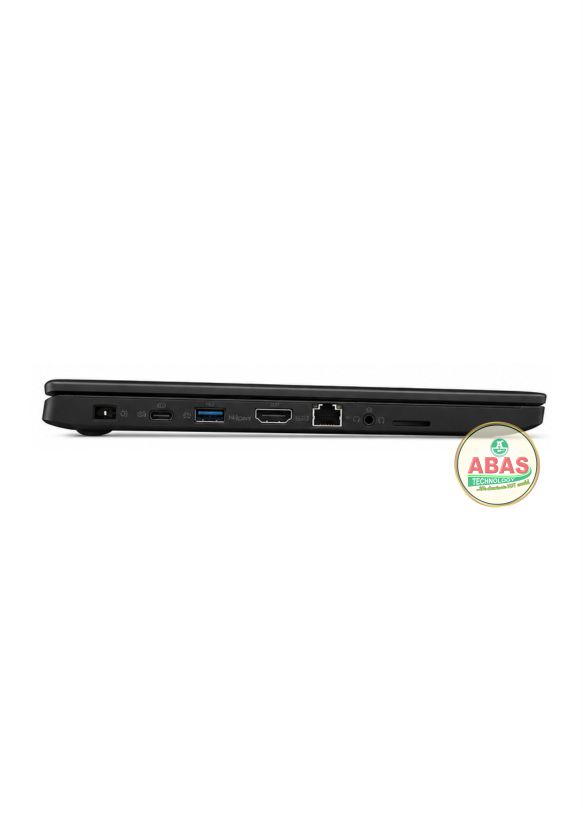
Ports
The Lenovo ThinkPad X260 includes:
- 2 × USB 3.0
- 1 × USB 2.0
- HDMI
- Mini DisplayPort
- RJ-45 Gigabit Ethernet
- 4-in-1 card reader
- 3.5mm headphone/microphone combo jack
- Power connector
- Security lock slot
This gives the X260 a good selection of traditional ports despite its small size.
Webcam
Depending on configuration:
- HD webcam
- 720p video
- Integrated microphone
Suitable for:
- Zoom
- Microsoft Teams
- Skype
- Google Meet
- Online classes
- Video conferencing
- Remote work
Audio
- Stereo speakers
- Integrated microphone
- HD audio
- Headphone/microphone combo jack
Suitable for:
- YouTube
- Music
- Movies
- Video conferencing
- Online classes
- Presentations
Security Features
Business security features can include:
- TPM
- Fingerprint reader on selected configurations
- BIOS password
- Power-on password
- Hard-drive password
- Security lock slot
- Computrace support
- Secure Boot on supported operating systems
The exact security configuration depends on the individual X260.
Dimensions
Approximately:
- Width: 305.5 mm
- Depth: 208.5 mm
- Thickness: approximately 20.3 mm
Its compact dimensions make it excellent for travel.
Weight
- Approximately 1.34 kg starting weight
Weight varies depending on the battery and configuration.
The X260 is one of the more portable ThinkPads from its generation.
Upgrade Options
Users can upgrade or replace:
- RAM
- 2.5-inch SATA HDD/SSD
- Battery
- Wireless card
- WWAN module where supported
- Some other internal components
RAM Upgrade
The X260 has one SODIMM slot.
A practical upgrade path is:
4GB → 8GB → 16GB
Storage Upgrade
The original HDD can be replaced with a SATA SSD.
Recommended Upgrade
16GB DDR4 RAM + 512GB SATA SSD
This combination gives the X260 a much better everyday experience.
Non-Upgradable Components
- Processor is soldered to the motherboard
- Intel HD Graphics 520 is integrated into the processor
Performance
The Lenovo ThinkPad X260 is ideal for:
- Microsoft Word
- Microsoft Excel
- Microsoft PowerPoint
- Web browsing
- Programming
- Software development
- Accounting software
- CorelDRAW
- Adobe Photoshop
- Canva
- Light graphic design
- Online classes
- Zoom
- Microsoft Teams
- Business applications
- General multitasking
- Light photo editing
Performance Verdict
The Lenovo ThinkPad X260 remains a good low-cost business and student laptop, particularly when equipped with a Core i5 processor, 16GB RAM and an SSD. This configuration is best for office work, programming, accounting, browsing, online classes, CorelDRAW, Photoshop, Canva, light graphic design and general productivity.