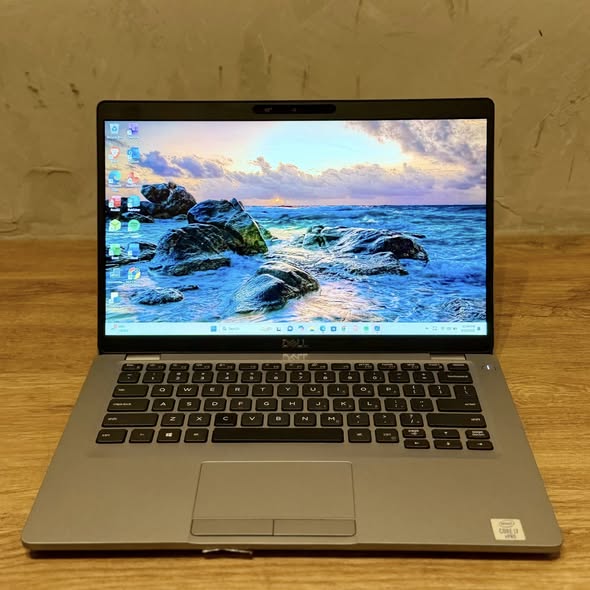
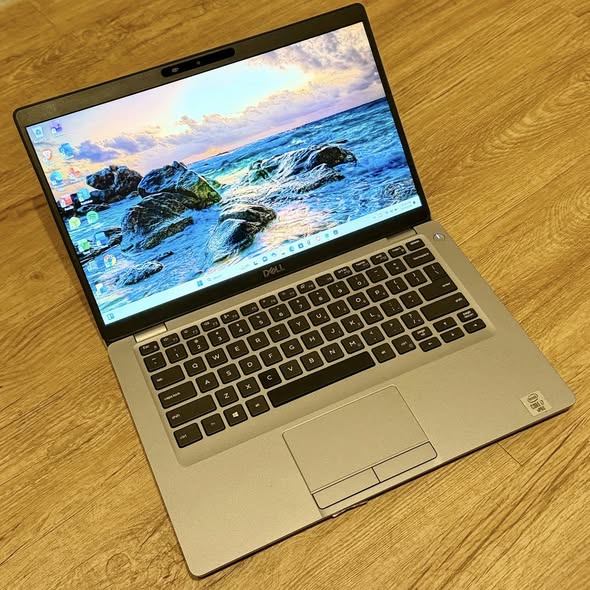
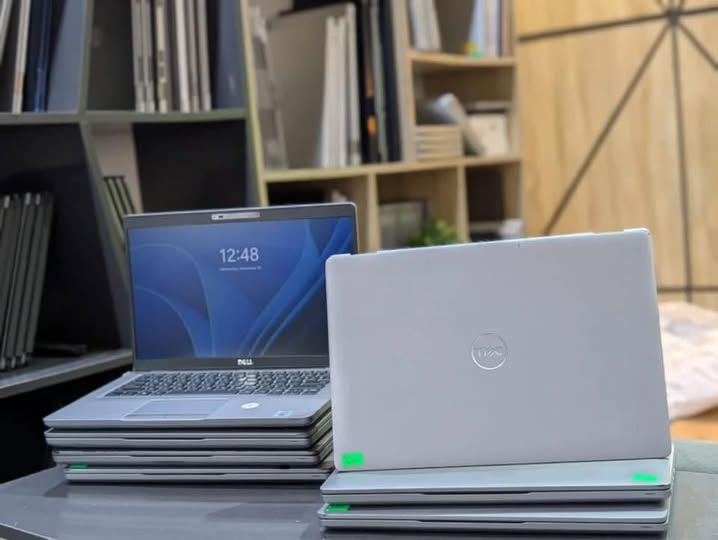
Dell Latitude E5410 Specification/Prices in Nigeria
Description
Dell Latitude E5410 Specification/Prices in Nigeria
Overview
The Dell Latitude E5410 is a business-class laptop released as part of Dell’s Latitude E-series lineup, designed specifically for corporate users, students, and professionals who need durability, reliability, and strong everyday performance. Positioned as a mainstream productivity machine, the E5410 balances performance and affordability while maintaining the rugged design that Latitude laptops are known for.
It is built to handle office work, browsing, documentation, and light multitasking efficiently. Though not designed for heavy gaming or advanced graphics tasks, it excels in stability, security, and long-term usability — which made it popular among institutions and organizations.
Processor (CPU)
The Dell Latitude E5410 comes equipped with Intel Core i-series processors, offering solid performance for business and academic tasks.
Available processor options include:
- Intel Core i3 (1st Generation)
- Intel Core i5 (1st Generation)
These processors are built on Intel’s Arrandale architecture and provide:
- Reliable multitasking ability
- Smooth office application performance
- Efficient power consumption
For everyday tasks like Microsoft Office work, browsing, media playback, and light design software, the CPU delivers consistent speed without overheating.
Display (Screen Quality)
The E5410 features a 14.1-inch Anti-Glare display, built for productivity.
Display highlights:
- LED-backlit screen
- 1280 x 800 resolution
- Anti-glare coating
The anti-glare feature is especially useful for long work hours and outdoor use, reducing eye strain and reflections. While it is not Full HD, the display remains clear enough for spreadsheets, documents, and presentations.
Memory (RAM)
The laptop supports:
- 2GB – 8GB DDR3 RAM
- Dual-channel memory support
With upgraded RAM (up to 8GB), the E5410 handles multitasking efficiently — allowing users to run multiple applications such as browsers, design tools, and office software simultaneously.
Storage (Hard Drive / SSD)
Storage options include:
- Traditional HDD (250GB – 500GB)
- Upgradeable to SSD
Users who upgrade to SSD experience:
- Faster boot time
- Improved application loading speed
- Overall smoother performance
This makes SSD upgrades one of the best performance improvements for this model.
Graphics (GPU)
The Latitude E5410 uses:
- Integrated Intel HD Graphics
This GPU supports:
- HD video playback
- Basic graphics tasks
- Light photo editing
It is suitable for office use but not ideal for gaming or heavy 3D rendering.
Build Quality & Design
Like most Latitude models, the E5410 features a durable and professional design.
Build highlights:
- Strong hinge system
- Matte finish exterior
- Sturdy chassis
The laptop is designed to withstand daily handling and transport, making it suitable for business environments.
Keyboard & Touchpad
The keyboard is one of the strong points of the E5410.
Features include:
- Comfortable full-sized keyboard
- Deep key travel
- Spill-resistant design
Typing is smooth and quiet, making it ideal for writers, students, and office workers.
The touchpad is responsive and supports:
- Multi-touch gestures
- Scroll functionality
Ports & Connectivity
The E5410 offers multiple connectivity options:
- USB ports
- VGA output
- Ethernet (LAN)
- Audio jack
- SD card reader
Wireless connectivity includes:
- Wi-Fi support
- Bluetooth (optional)
These options ensure compatibility with projectors, external displays, and peripherals.
Battery & Power
Battery performance is decent for a business laptop of its era.
Features include:
- Standard 6-cell battery
- Optional 9-cell battery
Users can expect:
- 3 – 5 hours of usage depending on workload
The laptop is optimized for power efficiency during office tasks.
Security Features
Security is a key strength of the Latitude series.
The E5410 includes:
- Optional fingerprint reader
- TPM (Trusted Platform Module)
- Smart card reader (optional)
Operating System
Windows 10 Pro (64-bit) and Windows 11 Pro (with compatible CPU & TPM)
How to order a product?
To order a product, scan through our available products and select any item of your choice. Once you have chosen the product, provide your contact details, delivery address, and preferred payment method. After confirming your order, you will receive a notification containing your order and other important details.
All products come with an invoice from Abas Technology/bizmall.com and must be presented for any warranty claim.
Claims without proof of purchase will not be accepted. Each product comes with a warranty seal; if broken or tampered with, the warranty becomes void immediately.
Once your order shows on our website, we will confirm and dispatch your product within 24 hours. If you are in Nigeria, expect your product within 3 days depending on your location in Nigeria.
Safety Tips
- • Payments are maintained securely by us
- • We protect your money until you receive the item
- • Inspect the item upon delivery
- • Support is available 24/7 if you need help
Related products
-
Sale!

Hp Elitebook 840 G5 i7 Specification/Price in Nigeria
Original price was: ₦330,000.00.₦325,000.00Current price is: ₦325,000.00. Add to cartWhatsApp us -
Sale!
Hp Elitebook 840 G5 i5 (Non-Touchscreen) Prices / Specification in Nigeria
Original price was: ₦300,000.00.₦290,000.00Current price is: ₦290,000.00. Add to cartWhatsApp us -
Sale!
Dell latitude 7440 i7 Specification/Price in Nigeria
Original price was: ₦230,000.00.₦225,000.00Current price is: ₦225,000.00. Add to cartWhatsApp us -
Sale!
Hp Elitebook x360 1030 G2 Specification/Price in Nigeria
Original price was: ₦500,000.00.₦495,000.00Current price is: ₦495,000.00. Add to cartWhatsApp us