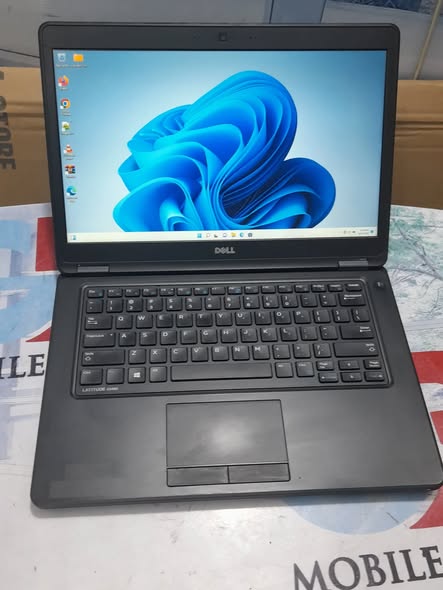
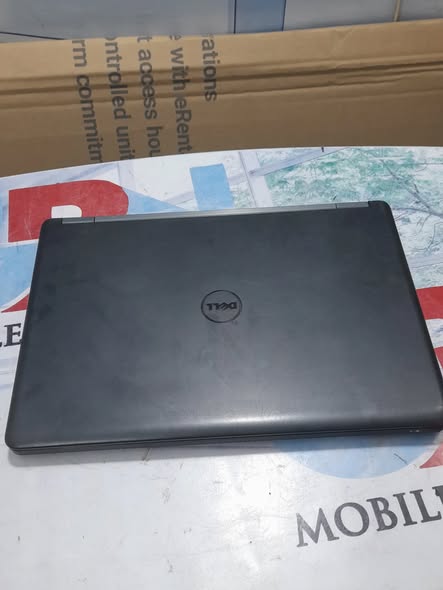
Dell Latitude E5450 Specification/Price in Nigeria
Description
Dell Latitude E5450 Specification/Price in Nigeria
Overview
The Dell Latitude E5450 is a professional-grade business laptop designed for reliability, productivity, and durability. It belongs to Dell’s Latitude 5000 series — a lineup built mainly for office users, students, entrepreneurs, and corporate environments.
Released around 2015, the E5450 was designed to balance performance, portability, and security. Unlike consumer laptops, this model focuses on long-term use, upgrade flexibility, and strong build quality.
It is widely used today as:
- Office workstation
- Student laptop
- Graphics entry-level system
- Business travel laptop
The system supports both 4th and 5th Generation Intel processors and comes with upgrade options for RAM and storage, making it still useful even years after release.
Processor (CPU)
The Dell Latitude E5450 comes with different processor configurations depending on the version.
Common CPU options include:
- Intel Core i5 (e.g. i5-5200U, i5-5300U)
- Intel Core i7 (e.g. i7-5600U)
- Dual-core processors with 4 threads
- Base speed between 2.0GHz – 2.6GHz
- Turbo boost up to 3.2GHz
These processors are energy-efficient (15W TDP), meaning:
✔ Less heat
✔ Longer battery life
✔ Stable multitasking performance
The CPU is suitable for:
- Microsoft Office work
- Internet browsing
- Programming
- CorelDRAW / Photoshop (light tasks)
- School projects
However, it is not designed for heavy gaming or advanced video editing.
Display (Screen Quality)
The Latitude E5450 features a 14-inch LED display.
Available screen options include:
- HD Resolution: 1366 × 768
- Full HD Resolution: 1920 × 1080
- Anti-glare (matte) screen
- 16:9 aspect ratio
The anti-glare display is ideal for:
✔ Office work
✔ Long reading
✔ Outdoor use
✔ Reduced eye strain
Full HD versions provide better sharpness for:
- Graphics work
- Movies
- Multitasking
Memory (RAM)
Memory plays a major role in performance.
The Latitude E5450 supports:
- DDR3L RAM
- 1600 MHz speed
- Minimum: 4GB
- Standard: 8GB
- Maximum: 16GB (5th Gen models)
It uses two RAM slots, allowing easy upgrades.
With 8GB – 16GB RAM, the laptop runs:
✔ Smooth multitasking
✔ Design software
✔ Multiple browser tabs
✔ Office applications
Storage (Hard Drive / SSD)
The laptop supports both:
- HDD (Hard Disk Drive)
- SSD (Solid State Drive)
Storage options include:
- 128GB SSD
- 240GB SSD
- 500GB HDD
- 500GB SSD
SSD improves:
✔ Speed
✔ Boot time
✔ Software launch
✔ Overall performance
It also includes:
- 2.5” drive support
- SD Card reader
Graphics (GPU)
The Latitude E5450 comes with integrated graphics only.
Graphics options:
- Intel HD Graphics 4400 (4th Gen)
- Intel HD Graphics 5500 (5th Gen)
These are suitable for:
✔ Video playback
✔ Graphics design (basic)
✔ Presentations
✔ Light gaming
Not suitable for:
✖ High-end gaming
✖ 3D animation
✖ Heavy rendering
Build Quality & Design
One of the strongest features of this laptop is durability.
Design features include:
- Business-class rugged body
- Matte finish
- Lightweight but solid
- Clamshell design
Many models are built to withstand frequent travel and long-term use, making them popular in corporate environments.
Keyboard & Touchpad
The keyboard is designed for productivity.
Features:
✔ Full-size keyboard
✔ Comfortable typing experience
✔ Spill-resistant design (on some units)
✔ Responsive touchpad
Ports & Connectivity
Connectivity is one of its major strengths.
Available ports include:
- 3 × USB 3.0
- HDMI
- VGA
- Ethernet (LAN)
- SD Card reader
- Headphone/Mic combo jack
Battery & Power
Battery life is quite efficient for business use.
Typical usage gives:
- 5 to 7 hours real-world battery life
Higher capacity batteries (6-cell) can last longer.
Security Features
Security is a key focus of the Latitude series.
Built-in protections include:
- TPM (Trusted Platform Module)
- BIOS password protection
- Optional fingerprint reader
Some versions also support:
- Smart card reader
- Enterprise-level authentication
Operating System
Windows 10 Pro (64-bit) and Windows 11 Pro (with compatible CPU & TPM)
How to order a product?
To order a product, scan through our available products and select any item of your choice. Once you have chosen the product, provide your contact details, delivery address, and preferred payment method. After confirming your order, you will receive a notification containing your order and other important details.
All products come with an invoice from Abas Technology/bizmall.com and must be presented for any warranty claim.
Claims without proof of purchase will not be accepted. Each product comes with a warranty seal; if broken or tampered with, the warranty becomes void immediately.
Once your order shows on our website, we will confirm and dispatch your product within 24 hours. If you are in Nigeria, expect your product within 3 days depending on your location in Nigeria.
Safety Tips
- • Payments are maintained securely by us
- • We protect your money until you receive the item
- • Inspect the item upon delivery
- • Support is available 24/7 if you need help
Related products
-
Sale!
Hp Elitebook 840 G1 i5 Specification/Price in Nigeria
Original price was: ₦180,000.00.₦175,000.00Current price is: ₦175,000.00. Add to cartWhatsApp us -
Sale!
HP ProBook 11 x360 Specification/Price in Nigeria
Original price was: ₦170,000.00.₦140,000.00Current price is: ₦140,000.00. Add to cartWhatsApp us -
Sale!
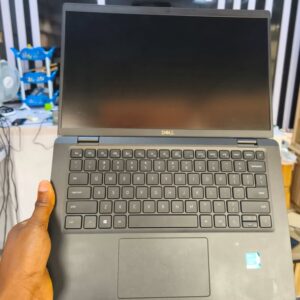
Dell Latitude 7275 Specification/Price in Nigeria
Original price was: ₦200,000.00.₦170,000.00Current price is: ₦170,000.00. Add to cartWhatsApp us -
Sale!
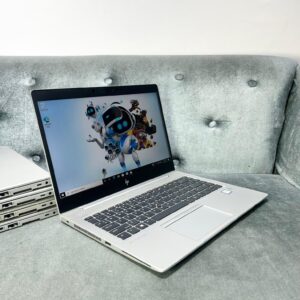
Hp Elitebook 840 G5 i5 (Non-Touchscreen) Prices / Specification in Nigeria
Original price was: ₦300,000.00.₦290,000.00Current price is: ₦290,000.00. Add to cartWhatsApp us